
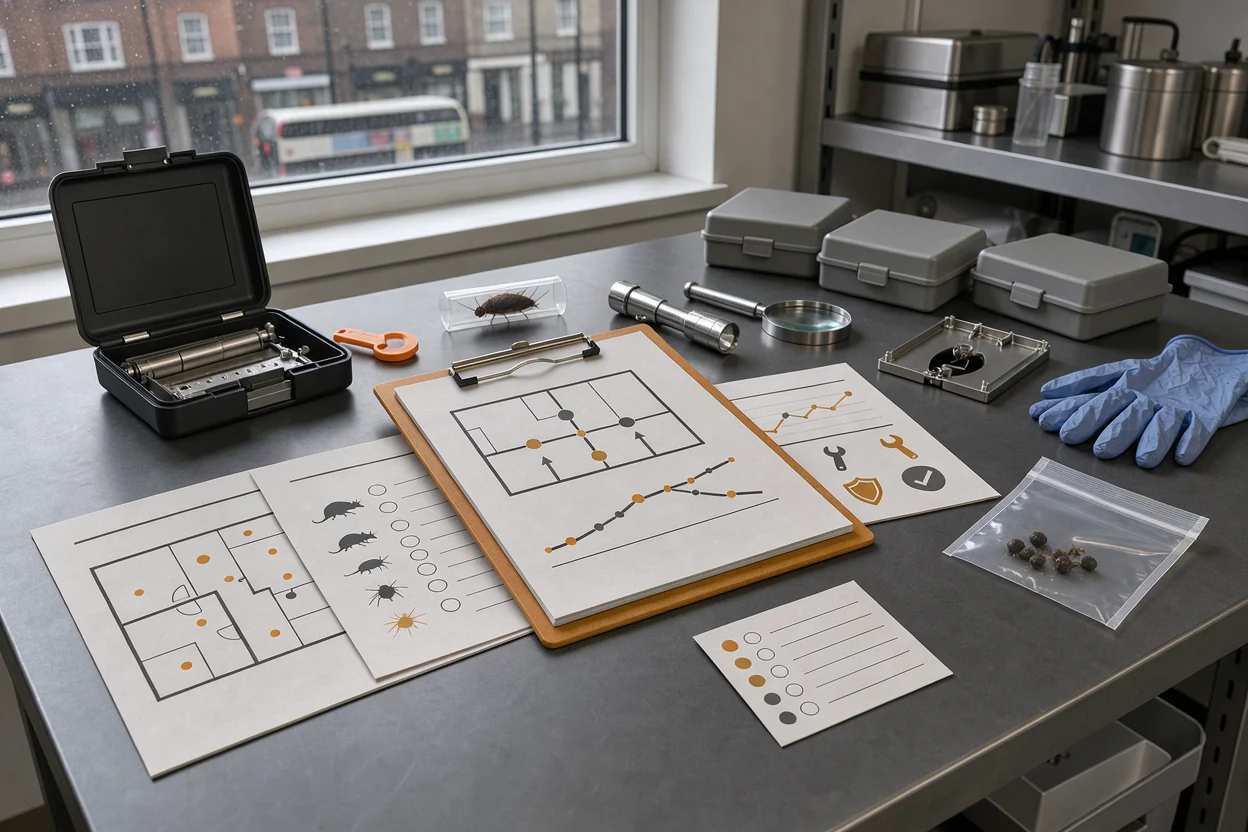
The pest monitoring records auditors expect should help them follow what happened at your commercial premises: where checks took place, what someone found, and what happened afterwards. For a London restaurant, warehouse or hospitality business, a useful file connects the contractor’s inspections with staff reports and completed repairs.
The exact documents requested will depend on your audit scheme, customer requirements and site activities. Keep the records below available at every visit, then check them against the requirements that apply to your business. Some need updating after each inspection; others need updating when the premises or service arrangements change.
I’d select records for their ability to explain a finding or demonstrate a response. That puts maps, inspection results, sighting logs, trends and completed actions at the centre of this roundup. Contracts and invoices have supporting roles, but they provide little detail about pest activity. If you already maintain a folder, use these categories to check whether its contents connect.
Start with the site survey and agreed service scope
A site survey gives the monitoring file its starting point: which parts of the premises need attention and why. It suits any business setting up a programme, changing contractors or altering how a building is used.
Keep the survey alongside a service scope, meaning the written description of the work agreed with the contractor. Together, these should identify:
- The buildings, rooms and external areas covered.
- The pests included in routine monitoring.
- The agreed visit arrangements and reporting responsibilities.
- Areas needing special access or coordination with another occupier.
- Circumstances that should prompt an additional review or response.
For a food business, consider this alongside the broader subject of food premises pest control rules. Check your own audit criteria before treating a standard contractor folder as complete.
The survey earns its place because it explains the choices behind the programme. A monitor beside a delivery entrance makes more sense when the survey identifies that entrance as a possible access route.
Its limit is age. A survey written before a kitchen extension or stockroom conversion may describe a different building.
Review it after changes to the layout, use of rooms or surrounding conditions. Record who reviewed it, what changed and whether monitoring arrangements need adjusting. Where a shared yard or neighbouring unit sits outside the contract, make that boundary clear.
Maps that match the devices on the floor
A monitoring map connects inspection results to physical locations. It is especially useful where several rooms contain similar devices or different staff accompany the technician.
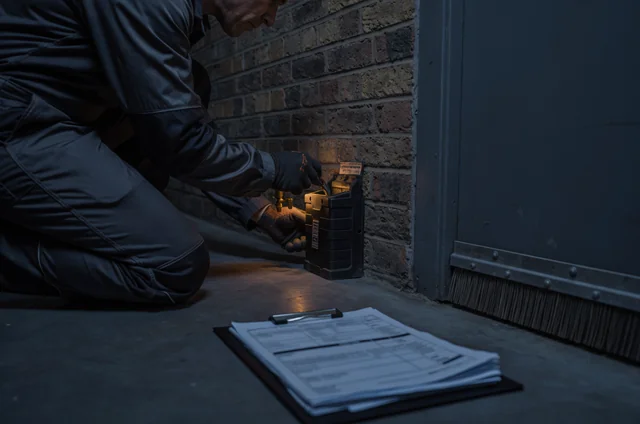
A monitoring point is a named location where pest activity is checked. A bait station is a container designed to hold pest bait. Identify device types clearly so readers can distinguish a bait station from a trap or another monitor.
Give each point a unique reference and use the same reference on the device, map and visit report. Include a legend explaining the symbols, plus a revision date.
Say you manage a London restaurant with a rear delivery door and a dry store. If a report records activity at point M03, the map should let the duty manager find M03 without guessing which doorway the technician meant.
Keep the plan readable. Show relevant room names, external boundaries and any floors covered by separate sheets. Where devices move, retain enough history to explain why later results relate to a different position.
A polished map has limited value if devices have disappeared behind new shelving. During a review, compare the plan with the premises and record missing, moved or inaccessible points.
Make the map the location reference for the whole file. If someone finds a discrepancy, correct it through a recorded revision and check the affected report references.
Technician reports with findings and follow-up
Visit reports explain what the contractor examined on a particular date. They suit every scheduled inspection and any additional attendance following a sighting or concern.
A useful report identifies the site, technician, visit date and purpose. It then records the areas checked, monitoring results, pest evidence, work completed and recommendations.
Look for detail that another person could act on. “Check rear area” leaves considerable room for interpretation. In the restaurant example, a report could identify the delivery doorway, describe the evidence found there and connect it to the relevant monitoring point.
Where the technician records no activity, that result still needs a clear inspection scope. An unchecked cupboard and an inspected cupboard with no findings should have distinguishable entries.
Include access problems, damaged devices and incomplete checks. If stock blocked a monitoring point, record the obstruction and the arrangement for checking it later.
The report belongs in the file because it preserves the inspection findings. Its limitation is that recommendations can remain unresolved after the technician leaves.
Have a named manager review each report and transfer required work into the action record. Record the review date and any clarification requested. Keep the original report available, with later corrections identifiable.
If a recommendation is unclear, seek clarification before the next routine visit. The action owner should be able to identify the location, task and expected completion evidence from the written record.
A staff sighting log between scheduled visits
A sighting log captures pest evidence reported between contractor inspections. It particularly suits restaurants, hotels and other premises where staff use rooms at different times.
Keep reporting simple enough for a busy shift. Ask staff to record:
- When and where they noticed the evidence.
- What they saw, heard or found.
- Their name or another traceable staff reference.
- Any immediate action taken.
- Who received the report and when.
A photograph can help where it is safe and appropriate to take one. Staff should describe what they can identify and leave uncertain species identification for the technician.
Agree the workplace pest reporting procedures so the log reaches someone who can arrange a response. A record left in an unattended office may never reach the responsible manager.
This category earns its place by adding information from daily operations. A cleaner’s observation beneath equipment may explain a finding that appears in a later contractor report.
Its limit is consistency. Different people may describe the same event separately, while an empty page may mean nobody reported anything or nobody used the log.
Link duplicate reports where possible. Distinguish staff sightings from planned checks, and connect each concern to the response or inspection that followed. Where you run routine staff checks, record completed checks with no findings separately from the sighting entries.
Trend reports that explain changes in activity
Trend analysis means comparing monitoring results over time to identify patterns. It helps sites with repeated findings, several monitoring points or recurring concerns in particular rooms.
Start with records that use consistent locations, device references and pest descriptions. Then compare similar periods and explain changes in how checks were carried out.
Useful measures might include findings by monitoring point, sightings by room or the number of devices showing activity. Choose measures your underlying records can support.
Keep different measures distinct. Staff sightings, trap catches and bait consumption describe different observations. Combining them into an unexplained total makes the result difficult to interpret.
A trend record earns its place when it helps answer a practical question: is activity recurring by the delivery entrance, spreading into another room or declining after repairs?
Its limit is comparability. A rise in recorded findings could coincide with extra inspections or newly installed monitors. Mark these changes beside the results so the reader can understand the comparison.
Add a short written assessment of what the pattern suggests and what should happen next. Identify uncertainty where the data cannot explain a change.
For a small site, a dated review of a consistent log may be more useful than an elaborate chart. For a larger site, organise results by area and retain the reports behind them. Record who reviewed the pattern and the action agreed.
Corrective actions that show who finished the job
A corrective action is work intended to address a problem found during monitoring. This record suits any site where inspections identify repairs, cleaning tasks, storage changes or further investigation.
Give each action a reference and connect it to the report or sighting that raised it. Record the location, required work, responsible person and agreed completion date.
The evidence of completion depends on the task. A doorway repair may need a dated photograph and a check of the finished work. A cleaning action may need a signed record identifying the area and task.
Keep completion and verification distinct. Completion records that someone did the work; verification records how someone checked the result. Assign both where the issue needs that level of follow-up.
This category earns its place because it connects findings with the business’s response. Repeated recommendations become easier to spot when each has an owner and status.
Its limitation is premature closure. A purchase order for repair materials shows progress, but the finished repair still needs recording.
Where work is delayed, document the reason, any temporary arrangement and the revised deadline. Escalate unresolved concerns to the person with authority to arrange the work.
At the next relevant inspection, ask for the affected area to be reviewed. Link that finding back to the original action so the record shows whether the issue recurred after completion.
Treatment and competence records behind the visits
Treatment and competence documents explain who carried out the work and what supporting safety information applies. They are particularly relevant when the file includes pesticide use or specialist treatment.
For treatment records, retain enough detail to identify the product, location, date, person carrying out the work and any follow-up instructions. Keep quantities and application details where relevant to the treatment and applicable requirements.
A risk assessment is a record of hazards and the controls planned for the work. A safety data sheet provides information about a product’s hazards and handling. Keep relevant documents accessible and clearly associated with the work they support.
For contractor checks, retain the credentials and qualification information your business or audit scheme asks you to verify. Our guide to pest controller credentials explains the background to checking these.
These documents earn their place by supporting the treatment and contractor record. Their limit is relevance: a collection of product sheets does little to explain a treatment unless the records identify which product was used.
Check that documents relate to the people, products and work involved. Make any review or expiry dates easy to find.
If you consider BuzzKill Pest Control for the work, ask to see a sample report and confirm who maintains the map, treatment records and supporting documents. Apply the same document checks to each contractor you consider.
A pest file your duty manager can actually retrieve
A well-organised file helps the person on duty produce a connected set of monitoring records. This matters when the usual facilities or food safety manager is absent.
Choose a named file owner and a deputy. Give both access to current documents and explain where earlier versions are stored.
Arrange the file around the work: site scope, current map, visits, staff sightings, trends, actions and supporting documents. Use dates and clear filenames so readers can follow events without opening every attachment.
For each significant finding, try following the record from the original observation to the response and subsequent check. Note any missing connection.
This approach earns its place because retrieval is part of using the records. Its limit is dependence on one person’s knowledge, particularly where reports arrive through several inboxes.
Keep important contractor records in the shared location rather than solely in an employee’s email account. Check that attachments open and that any portal exports include the detail your business needs.
An interactive completeness checklist could help here: select each record category, enter its latest review date and assign any missing item to an owner. It should flag gaps for review rather than calculate an audit pass.
Test access with the deputy before an inspection. Ask them to retrieve the current map, latest report and an open action without help from the usual file owner.
Questions about gaps, formats and retention
Keeping the monitoring file useful involves decisions about updates, missing history and responsibility. These are the questions to settle with the people who maintain it.
Does every document need a fresh date after each visit?
Each visit needs its own accurate record. Standing documents, such as maps and service scopes, need review and revision when relevant details change.
Repeatedly changing a map’s date without recording a change makes its history harder to follow. Keep the current version identifiable and preserve earlier versions where they explain previous results.
Where a review confirms that no change is needed, record the review separately if your document process requires it. Link layout changes to the date the new arrangements took effect.
Can digital records replace a paper folder?
Choose a format that meets your applicable requirements and allows authorised staff to retrieve the records during an inspection.
Digital files can work well when access, backups and document history are managed. Paper files need an equally clear arrangement for replacing outdated documents and keeping earlier records.
Test the format under ordinary working conditions. A duty manager should be able to retrieve records even when the account holder is away. If access depends on a contractor portal, confirm how you can retain the records your business needs.
How long should we keep pest records?
Set retention periods from the audit scheme, customer agreements, applicable obligations and your business’s document policy. Confirm the periods that apply rather than adopting an unsupported standard number of years.
Keep enough history to explain recurring activity, earlier treatments and completed actions within those requirements.
Include contractor changes in the retention plan. Before access to an old portal ends, arrange the transfer or export of the records you need to keep. Record where archived documents are stored and who can retrieve them.
What if an old inspection report is missing?
First check whether the contractor has a copy. Preserve the original inspection date and identify any later correction or addition.
If the report cannot be recovered, record the gap honestly. Note what is missing, what recovery checks took place and which other records remain available.
Avoid presenting a later reconstruction as an original inspection entry. A current check can establish present conditions, but it cannot establish everything that happened during an undocumented earlier visit. Assign someone to review why the document was lost.
Who owns actions after the contractor leaves?
Allocate responsibility according to the work involved. A contractor may handle monitoring or treatment, while your business arranges maintenance, cleaning or changes to storage.
Record the responsible person for each action and who will check completion. For leased premises, identify any task that needs the landlord or managing agent.
A manager should retain oversight of unresolved work, even where another organisation must complete it. Keep correspondence, agreed deadlines and completion evidence with the action record so a change of contact does not erase its history.
Which record should we prioritise first?
Choose the gap that prevents you from understanding or responding to the current findings. If device references are confusing, correct the map and reconcile the reports. If staff report activity between visits, establish a usable sighting log and a clear response route.
Where the same repair appears repeatedly, prioritise the corrective action record. Assign an owner, agree a deadline and specify how completion will be checked. For a site with reliable records but recurring activity, review the trends alongside changes to deliveries, storage and access.
The most overlooked alternative is a short record of areas that could not be inspected. It deserves attention where the folder looks complete but locked rooms, blocked devices or inaccessible voids leave uncertainty. Record each limitation, who will resolve access and when the outstanding check will take place.

Need professional help? BuzzKill offers fast, reliable pest control services across London and Essex.